


Your Quick Guide to ACMobility Vouchers
Make your EV charging experience more convenient with ACMobility charging credits. Follow these simple steps to redeem your voucher and use your credits for your next charging session.
*Can't view the image? Please refer to the guide below.
How to Redeem Your ACMobility Voucher
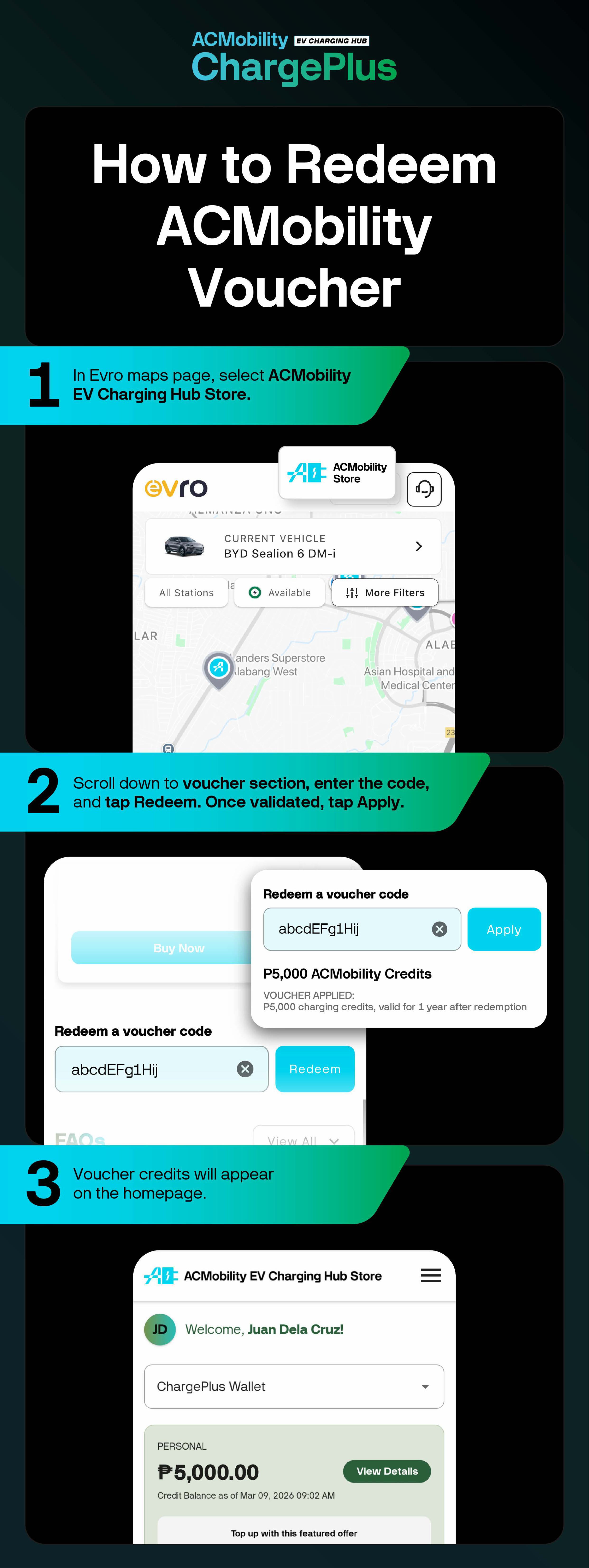
Open our partner app, Evro. Go to the Maps page, select ACMobility EV Charging Hub Store.
Scroll down to the voucher section, enter the code, and tap Redeem. Once the code is validated, tap Apply.
Your voucher credits will appear on the Evro homepage once successfully redeemed.
How to Charge Using ACMobility Credits
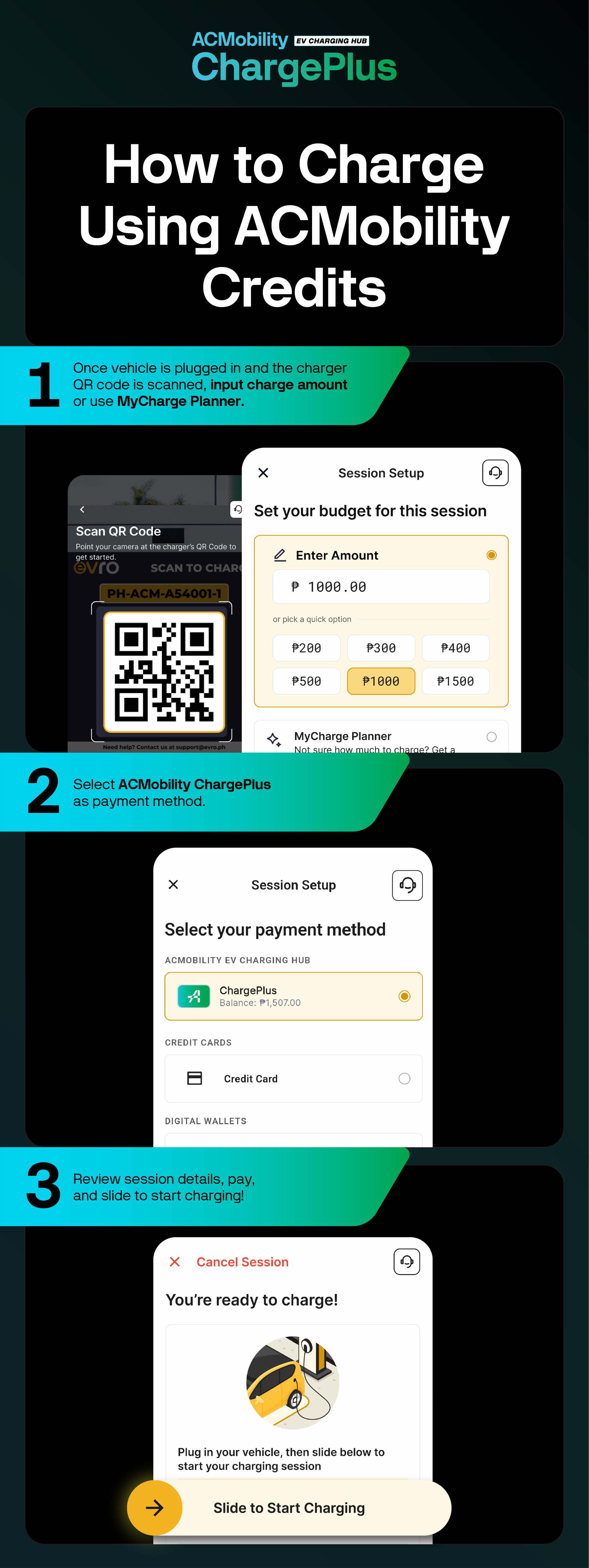
Plug in your vehicle and scan the charger's QR code. Enter your desired charging amount or use MyCharge Planner.
Select ACMobility ChargePlus as payment method.
Review session details, pay, and slide to start charging.
Ready to power up? Redeem your voucher, use your credits, and save on your next charging session at the ACMobility EV Charging Hub.